ApexCalis

Calisthenics, built by a practitioner

Train toward planche, front lever and beyond — without wrecking your tendons.

ApexCalis is an iPhone app with full programs for men and women, a tendon & muscle load map that tells you when to push and when to back off, and on-device AI form checks.

Coming soon · iOS 17.6 or later
  • 2 programs · 5 levels
  • 10 skill courses
  • 7 languages
  • No account needed
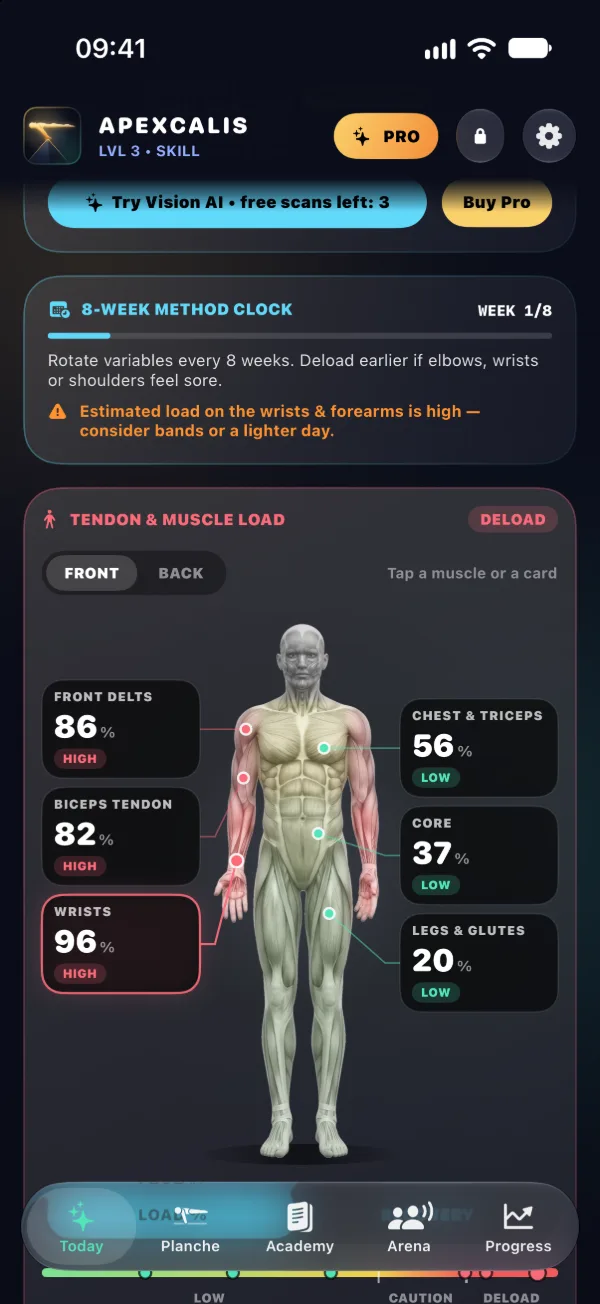
ApexCalis Today tab: the tendon and muscle load map from the front, with wrists at 96 %, front delts at 86 % and the biceps tendon at 82 % marked high, and core at 37 % and legs at 20 % marked low.

Why ApexCalis

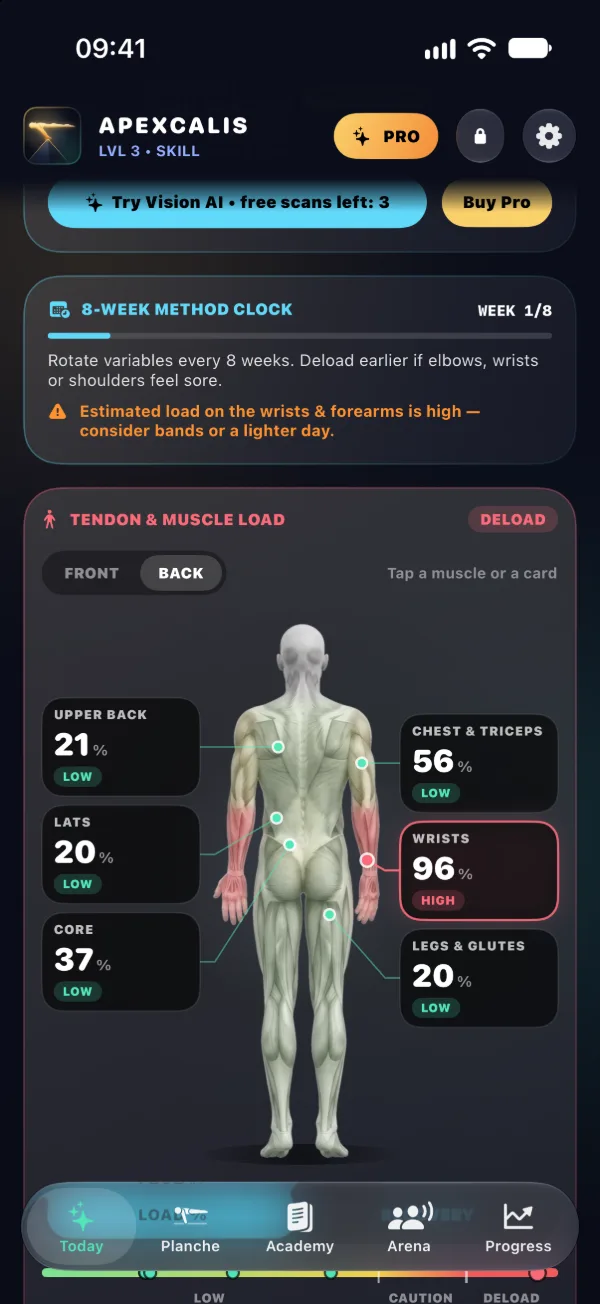
The load map from the back: upper back 21 %, lats 20 % and core 37 % are low, the wrists at 96 % are high.
Load map

Know when to push and when to back off

Every set you log adds load to the tendons and muscles it trains and fades as you recover, so you can see which areas need an easier day.
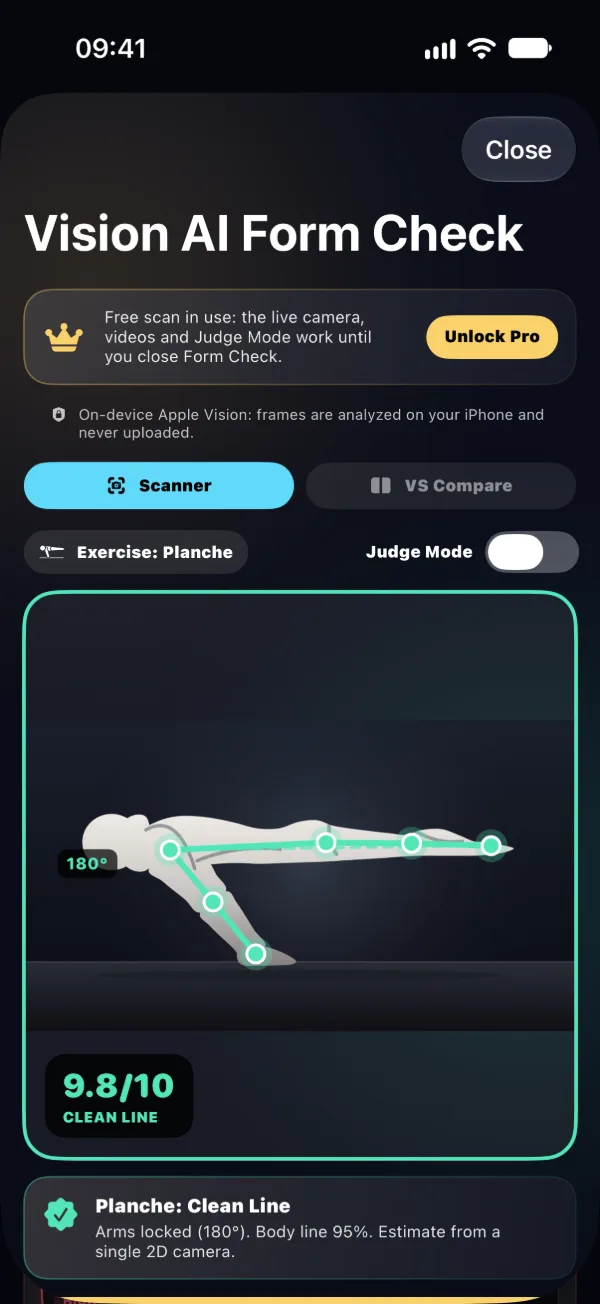
Vision AI checking a planche: the skeleton drawn over the figure, 180° at the elbow and a score of 9.8/10, Clean Line.
Vision AI

A form check on your iPhone

Film a planche, front lever, handstand, L-sit or human flag, and the app measures your arm lock, body line and joint angles against its 7-point check.
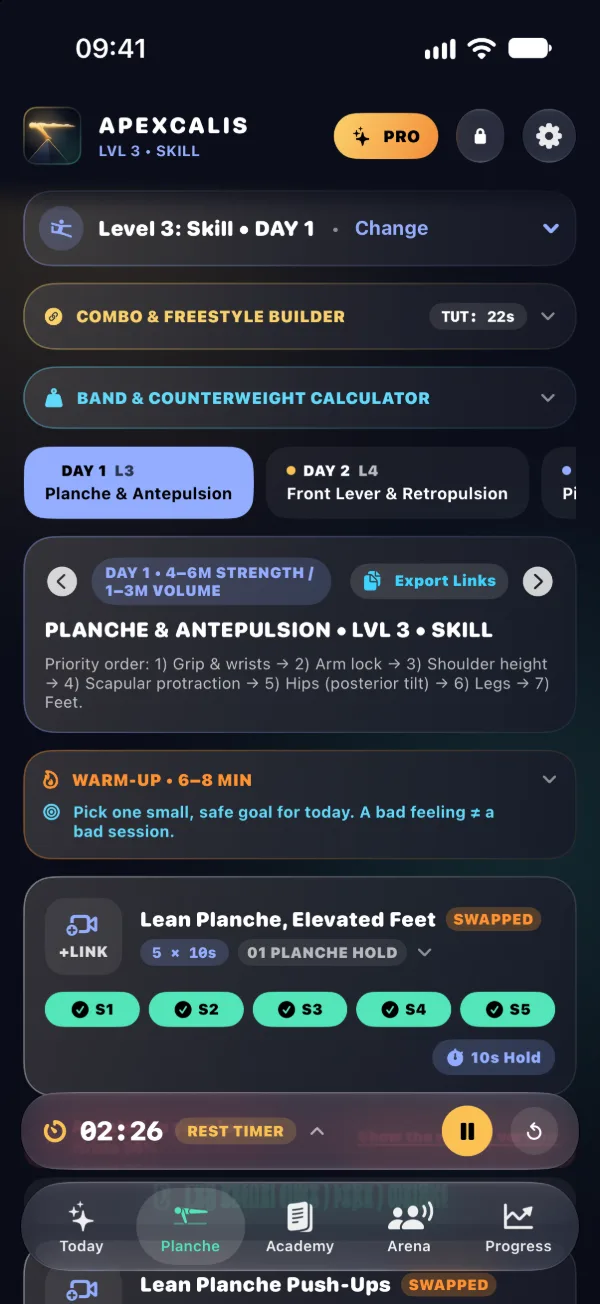
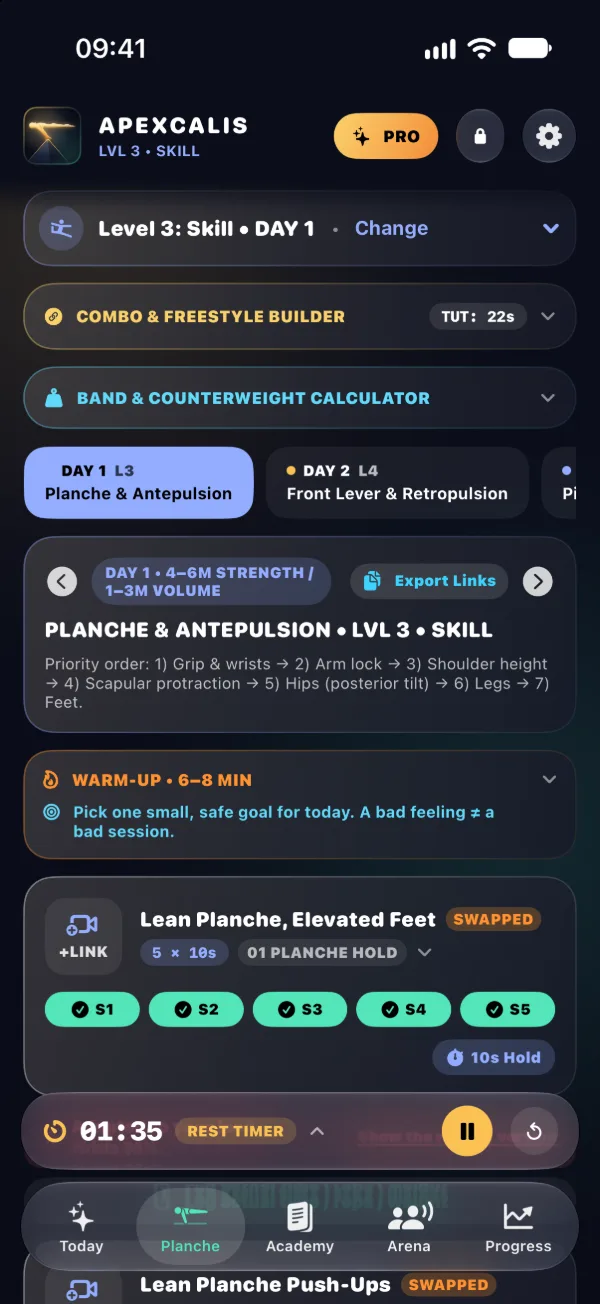
Day 1, Planche & Antepulsion, at level 3: five sets of the first exercise ticked off and the rest timer counting down.
Programs

A plan for every level

A men's weekly program from Foundation to Elite and a women's program in three stages, with an easier and a harder version of every exercise.

Programs

Pick your level once and the whole week follows. Five levels: Foundation, Base, Skill, Advanced and Elite.

Men's program · a 7-day week

  1. Day 1Planche & Antepulsion75–90 min
  2. Day 2Front Lever & Retropulsion75–90 min
  3. Day 3Pistol Squat, L-Sit & Handstand75 min
  4. Day 4Flag, Press & Power Moves75 min
  5. Day 5Combos, EMOM & Volume75 min
  6. Day 6Rest 1 · Form & Mobility30 min
  7. Day 7Rest 2 · Mindset & Visual20 min

On levels 1 and 2 the days have their own names and build toward these skills.

Women's program · three stages

  1. Foundations16 weeks, 3 sessions a week plus an optional legs day. Goal: your first pull-up and several push-ups.
  2. Intermediate5 blocks, 5 sessions a week: dips, chin-ups, pike push-ups, EMOMs and your first skills.
  3. Weighted Strength4 sessions a week with a dip belt or vest. Needs 10 clean pull-ups, 10 dips and 20 push-ups.

A max test closes every phase.

The level picker on the workout tab: Level 1: Foundation to Level 5: Elite, with level 3 selected.
The level picker
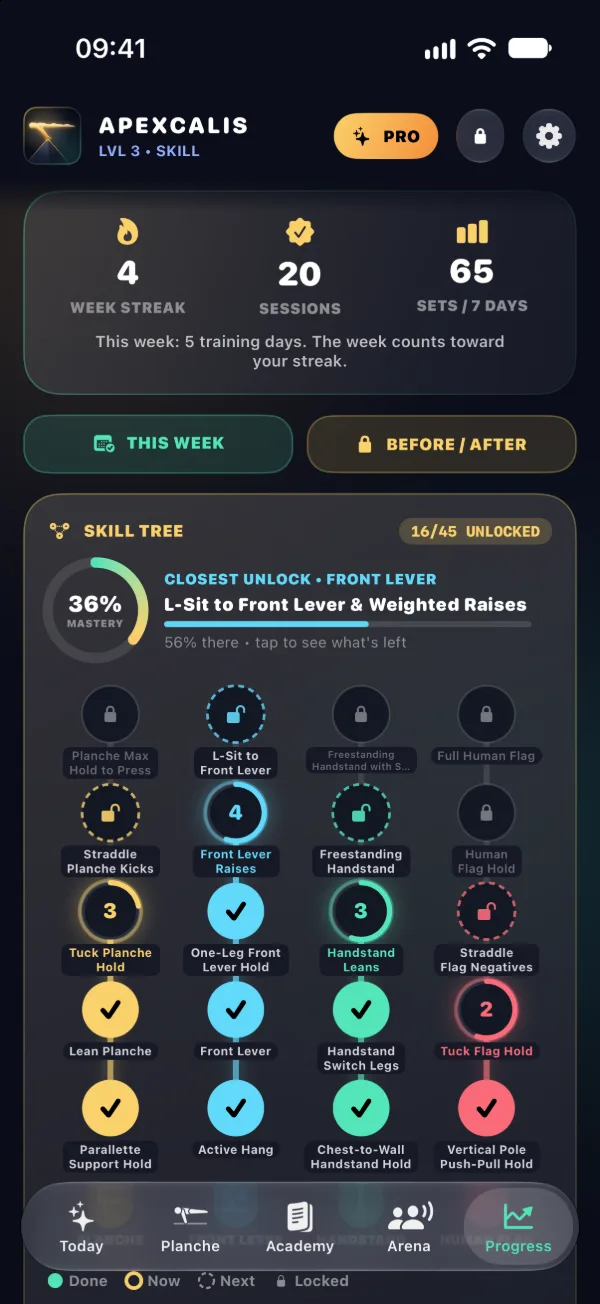
The Progress tab: a 4-week streak, 20 sessions and the skill tree with 16 of 45 steps unlocked.
The skill tree

Vision AI form check

Film from the side, live or from a video, and the app checks your form against its 7-point check: the performance points first, then the line.

Performance · Force

  1. Grip & wristsIn the video
  2. Arm lockMeasured
  3. Shoulder leanMeasured
  4. Shoulder bladesIn the video

Aesthetic · Leverage

  1. Hips & pelvisMeasured
  2. Legs lockedMeasured
  3. Feet levelMeasured

Shown for the planche. The front lever, handstand, L-sit and human flag have their own shoulder and line checks.

Analyzed on your iPhone, never uploaded.

An estimate from a single 2D camera. Film side-on, in good light, with your whole body in frame.
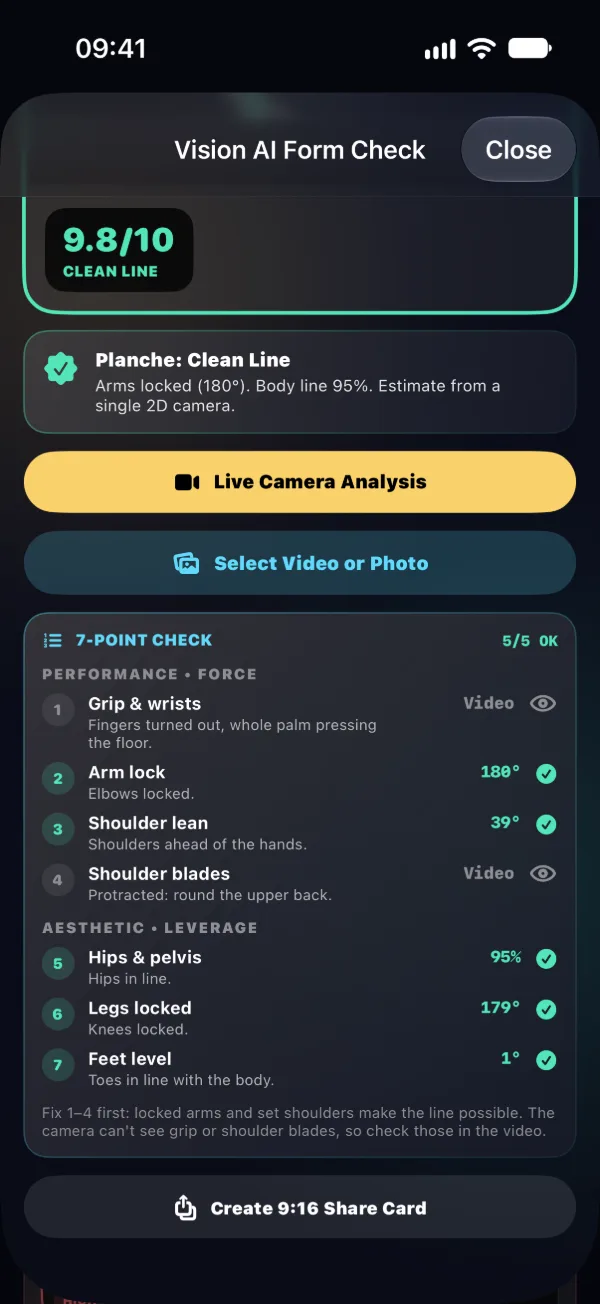
The 7-point check for a planche: arm lock 180°, shoulder lean 39°, hips 95 %, legs 179° and feet 1° all pass; grip and shoulder blades are checked in the video.
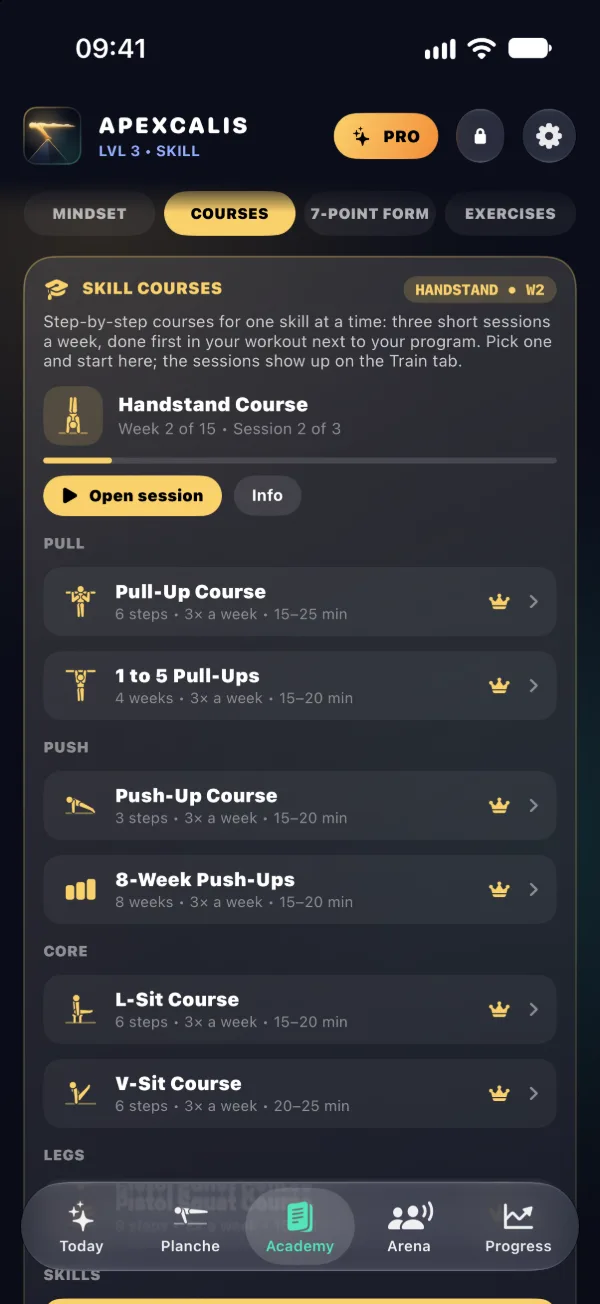
The Academy tab: the Handstand Course in week 2 of 15, and skill courses for pull-ups, push-ups, the L-sit and the V-sit.

Academy

Step-by-step courses for one skill at a time: three short sessions a week, done first in your workout next to your program. The Academy also has mindset, the 7-point form guide and an exercise library.

Pull

  • Pull-Up Course6 steps · 15–25 min
  • 1 to 5 Pull-Ups4 weeks · 15–20 min

Push

  • Push-Up Course3 steps · 15–20 min
  • 8-Week Push-Ups3 of 8 weeks so far · 15–20 min

Core

  • L-Sit Course6 steps · 15–20 min
  • V-Sit Course6 steps · 20–25 min

Legs

  • Pistol Squat Course8 steps · 15–20 min

Skills

  • Handstand Course10 of 15 weeks so far · 30 min
  • Ring Muscle-Up Course6 of 9 weeks so far · 40 min
  • Bar Muscle-Up Course6 weeks · 3 levels · 45–60 min

Free and Pro

Start free and train with the core of every day. Pro unlocks everything.

Free

  • The first two exercises of every training day in the men's program and the first three of every women's session, plus the rest days
  • The tendon & muscle load map, the rest timer, progress and the skill tree
  • Vision AI on photos, plus 3 scans with the live camera or a video
  • The first session of every skill course
  • One share card

Pro

  • Every exercise of both programs, on every level
  • All 10 skill courses, from your first pull-up to the muscle-up
  • Vision AI: live form tracking, video analysis, VS Compare and Judge Mode
  • Share cards and your own exercises in the program
  • Before / after photo comparison
  • Family Sharing: one subscription for up to 6 people in your family

See the price in the appPrices depend on your country. Cancel anytime in your App Store settings.
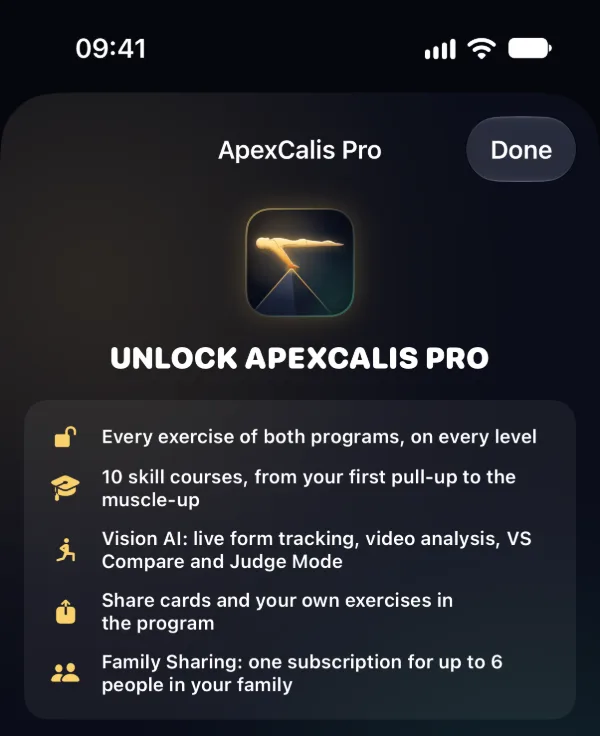
The ApexCalis Pro screen listing what Pro unlocks.

Questions

Do I need an account?

No. ApexCalis works without an account and keeps your training on your iPhone. You can add an optional account later if you want backup and sync.

Does it work offline?

Yes. Programs, the rest timer, the load map and Vision AI run on your iPhone. You need a connection to subscribe or restore a purchase, back up to your account and open exercise video links.

Which iPhones does it run on?

Any iPhone with iOS 17.6 or later: iPhone XS, XR, SE (2nd generation) and newer. The app is made for iPhone.

Which languages are there?

English, Swedish, Persian, Arabic, French, Russian and Spanish. The app follows your iPhone's language, and you can change it in the app's settings.

Is it medical advice?

No. ApexCalis gives training guidance, not medical advice, and it isn't a medical device. The load map and form scores are estimates. Stop if you feel sharp pain, and see a doctor or physiotherapist about injuries.

How do I cancel Pro?

Pro is a subscription billed by Apple. Cancel it in your iPhone's Settings › your name › Subscriptions at least 24 hours before the period ends. Deleting the app doesn't cancel it.